 Boletar

Pro Monthly
€4.99per month
Pay month to month for the time you need.
Join the waitlist
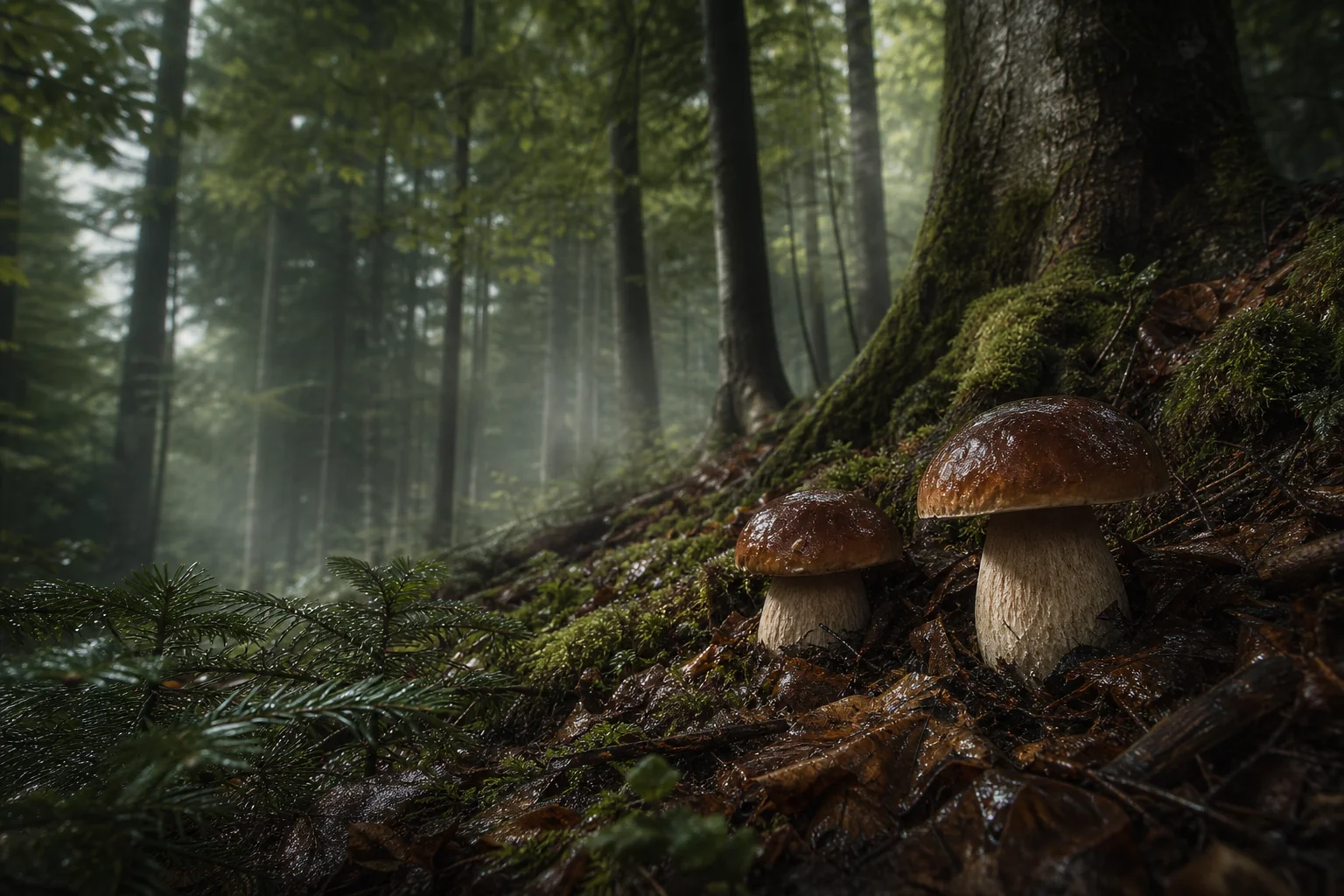
Focused on porcini.Your spots. Your experience.
Know where to look. Decide when to return. Keep what you learn in your own private forest history.
01 / Check
Choose a pin and a date. Read the forest’s suitability, seasonal context and available weather evidence together, before committing to a trip.
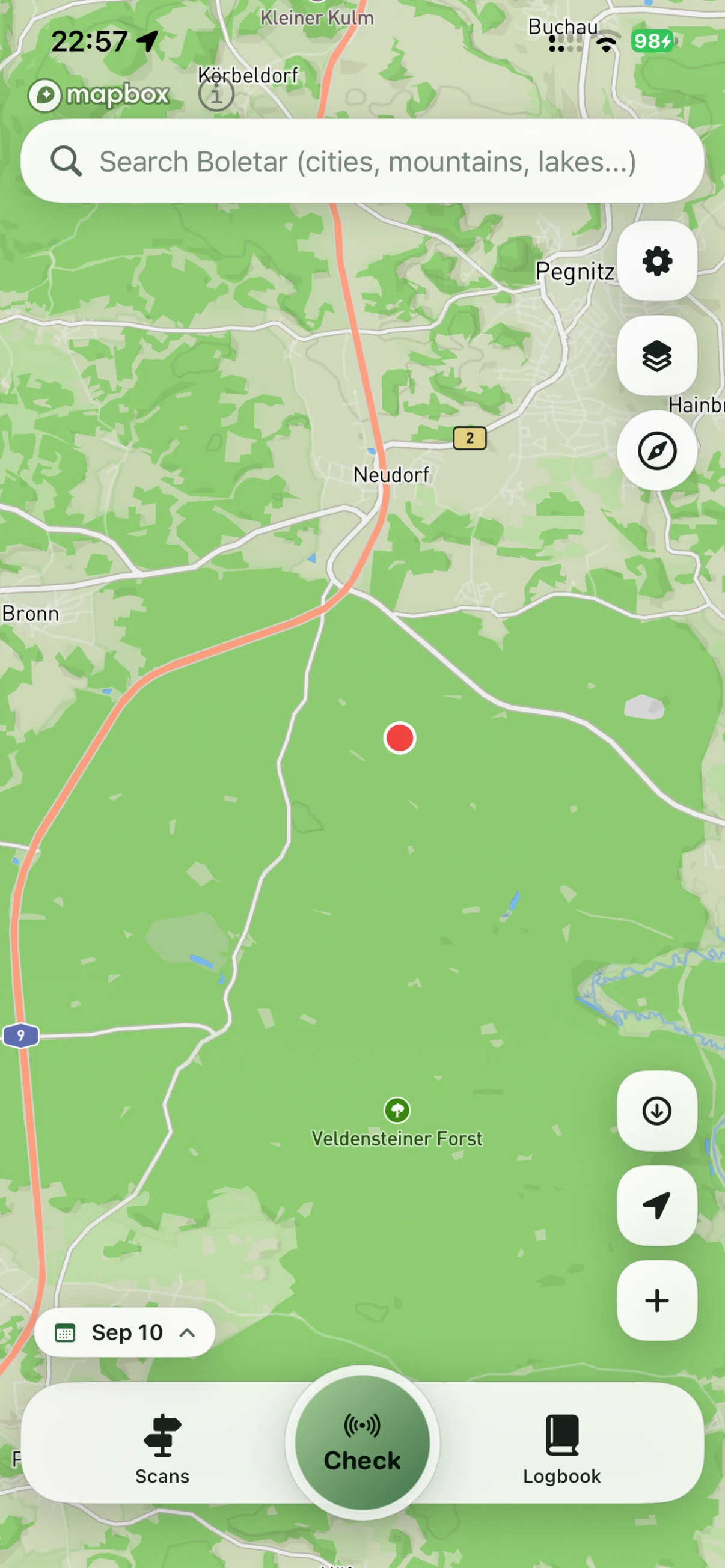 View full screenshot
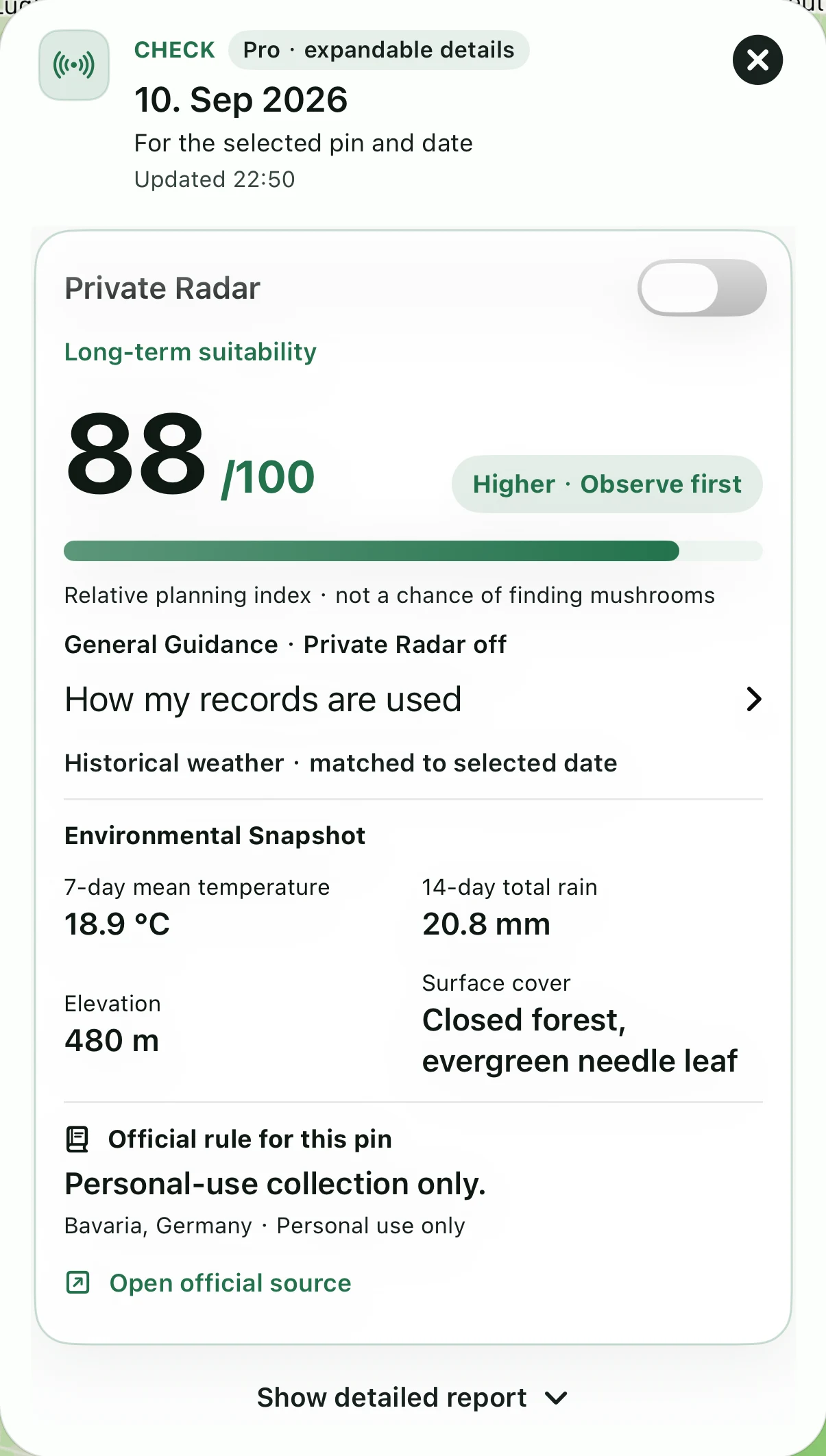 View full screenshot
88/100 describes long-term forest suitability for the selected pin and date. Historical weather for that date is shown separately. The index is not an 88% chance of finding porcini or a promise that a day is good for a trip.
02 / Area Scan
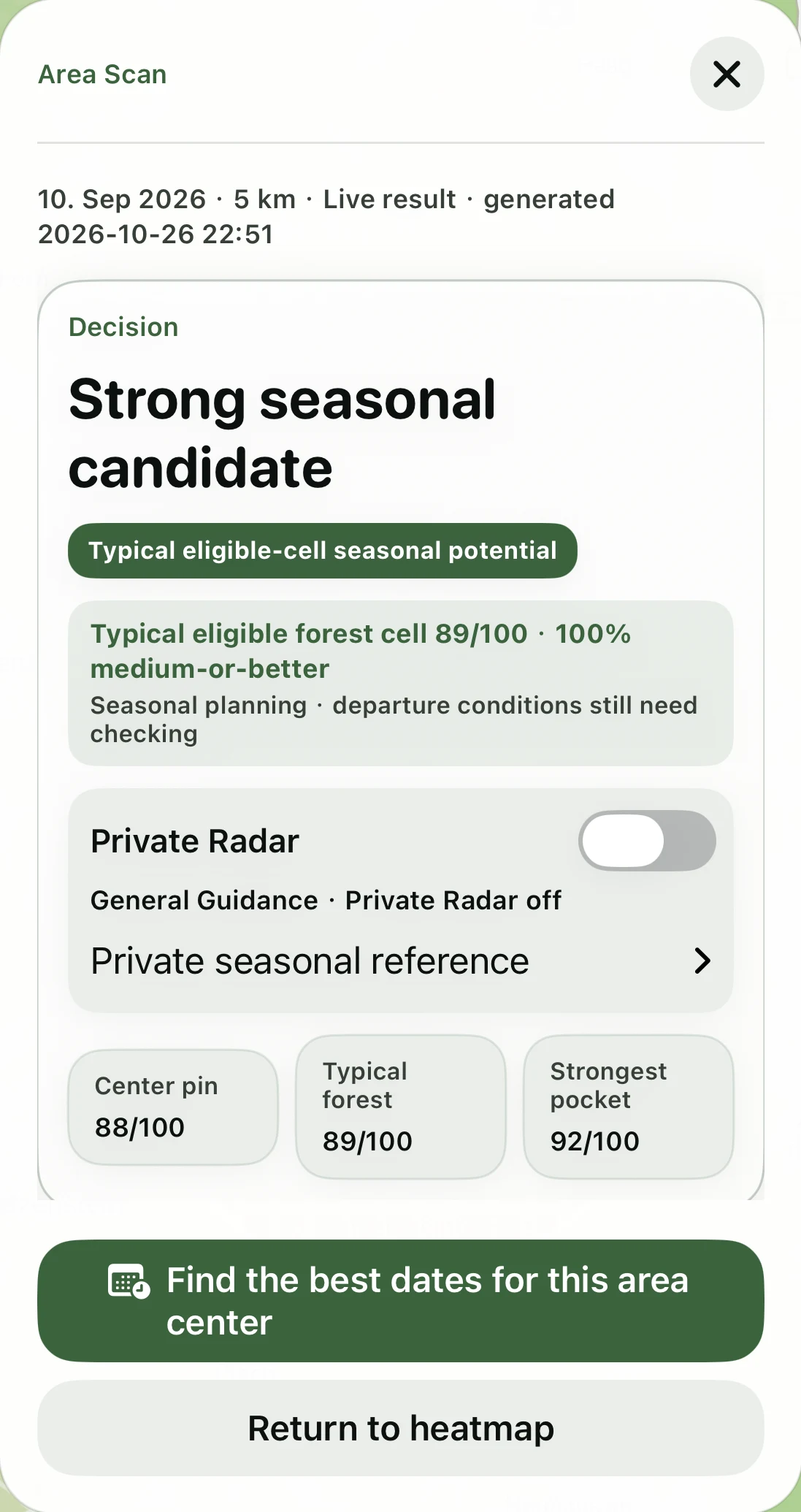
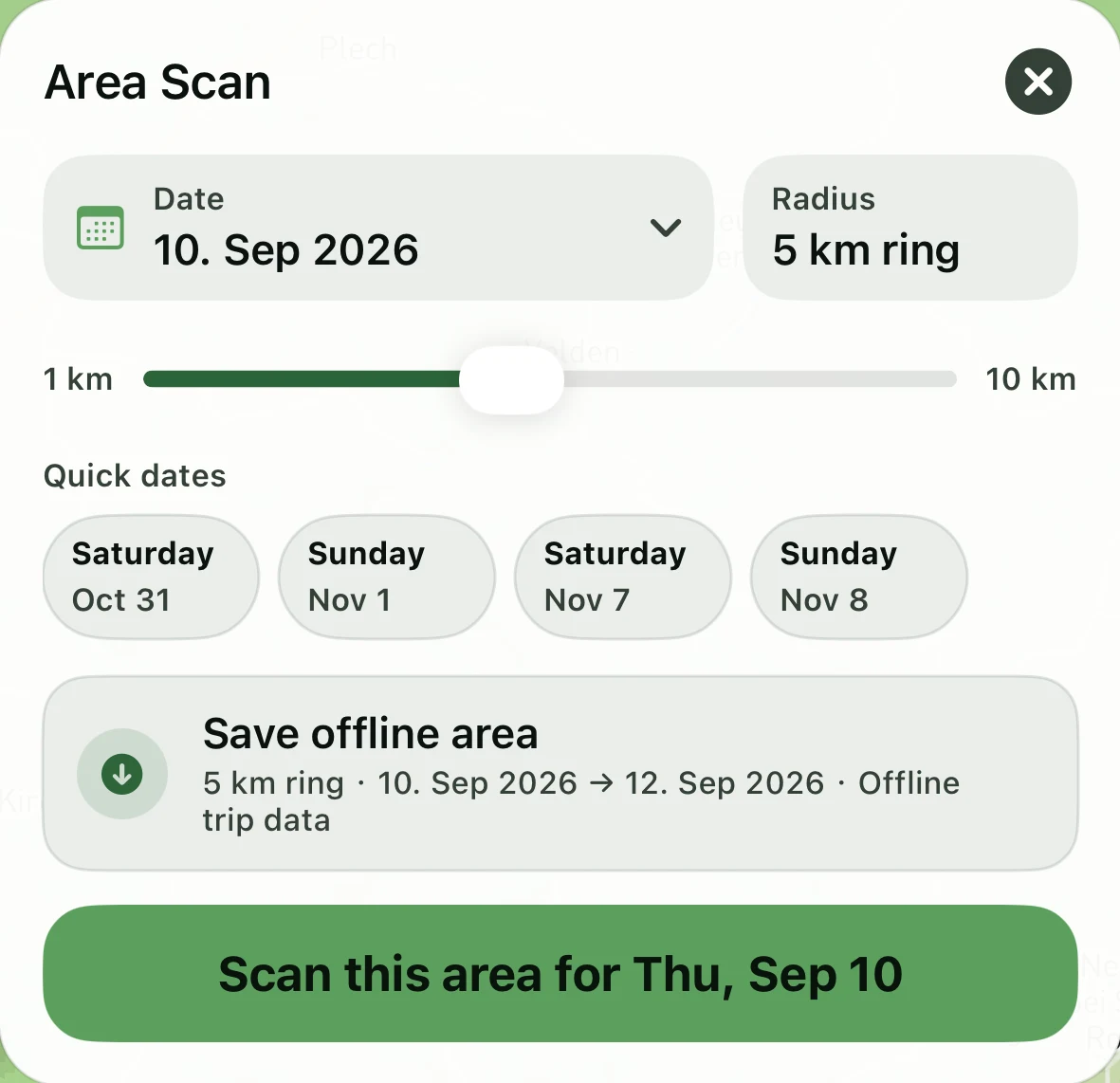
Keep the date fixed. Compare forest cells around your pin, then choose a starting area for your own scouting.
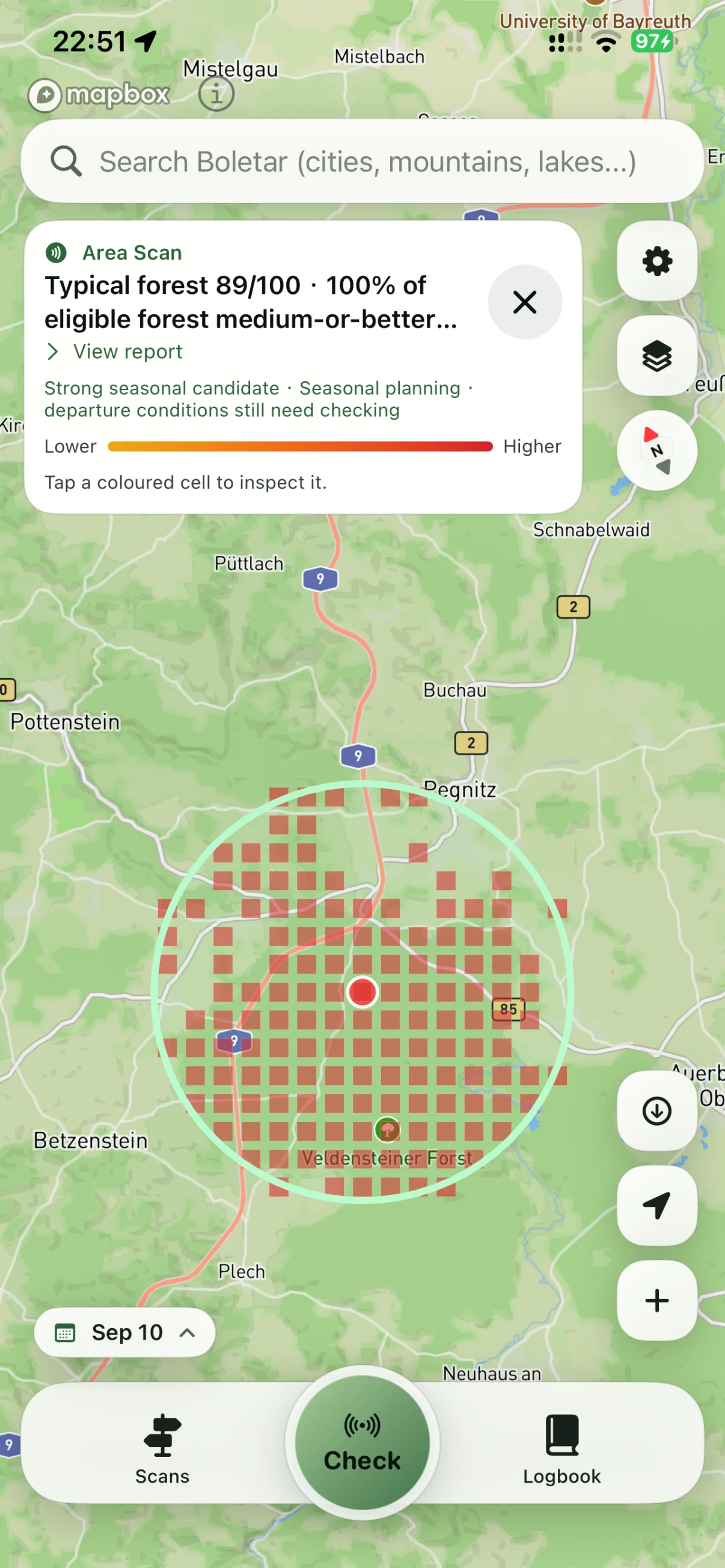 View full screenshot
In this 5 km example, the typical eligible forest cell scores 89/100 and the strongest pocket 92/100; the pin itself scores 88/100. Use the differences to choose where to scout first.
Lower-to-higher colors show seasonal planning indicators. Here, 100% means every eligible forest cell is rated medium-or-better, not a chance of finding porcini. Departure conditions still need checking.
03 / Time Scan
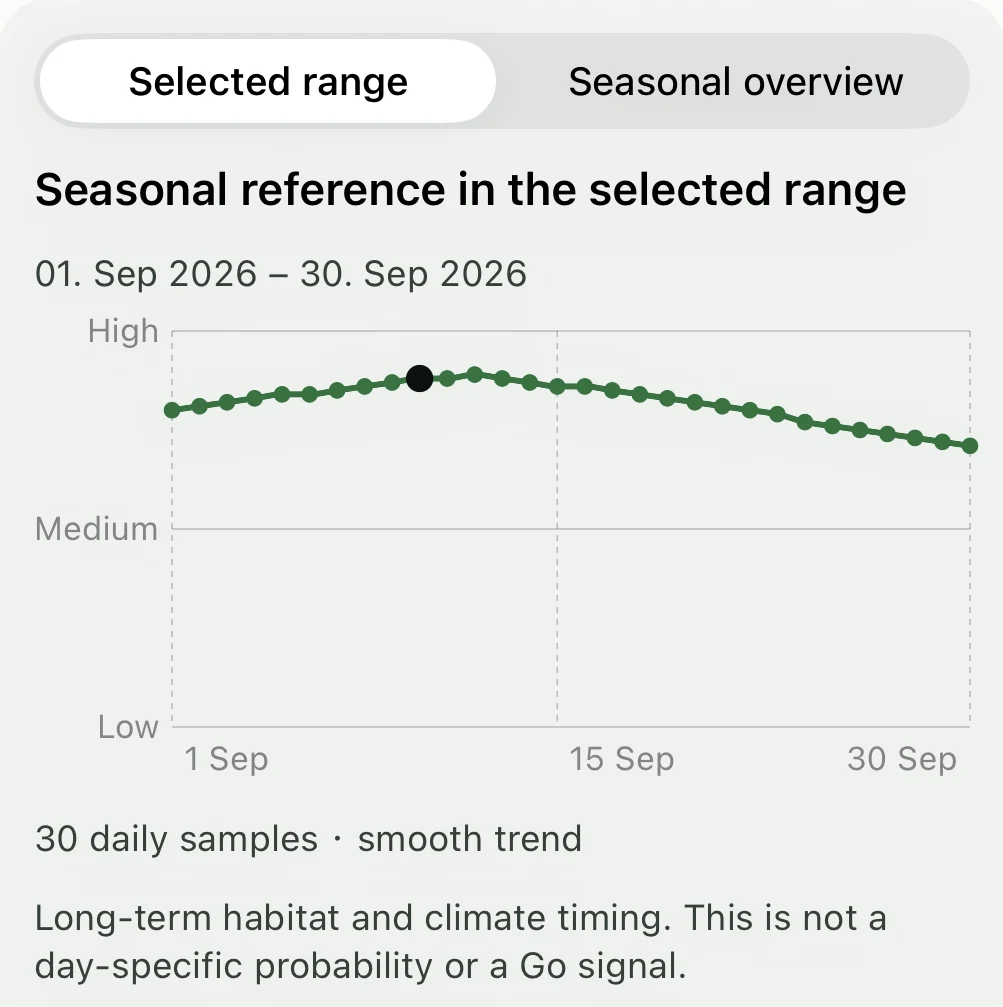
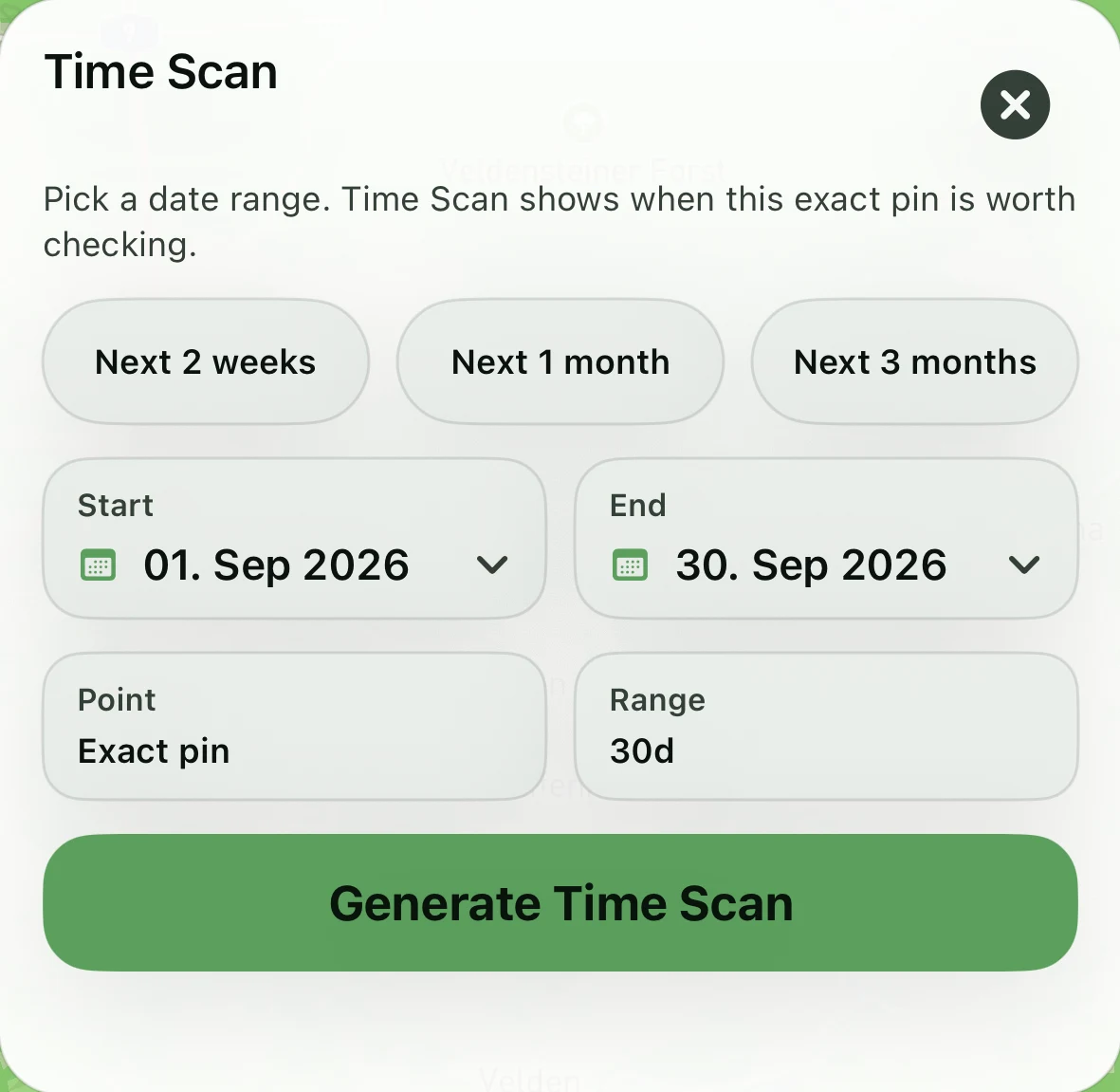
Keep the place fixed. Compare dates to understand the seasonal window, then recheck weather close to departure.
 View full screenshot
For 1–30 September 2026, Time Scan returns one seasonal reference value per day, drawn as a smooth trend on a High, Medium and Low scale. It shows long-term habitat and climate timing, not a daily forecast.
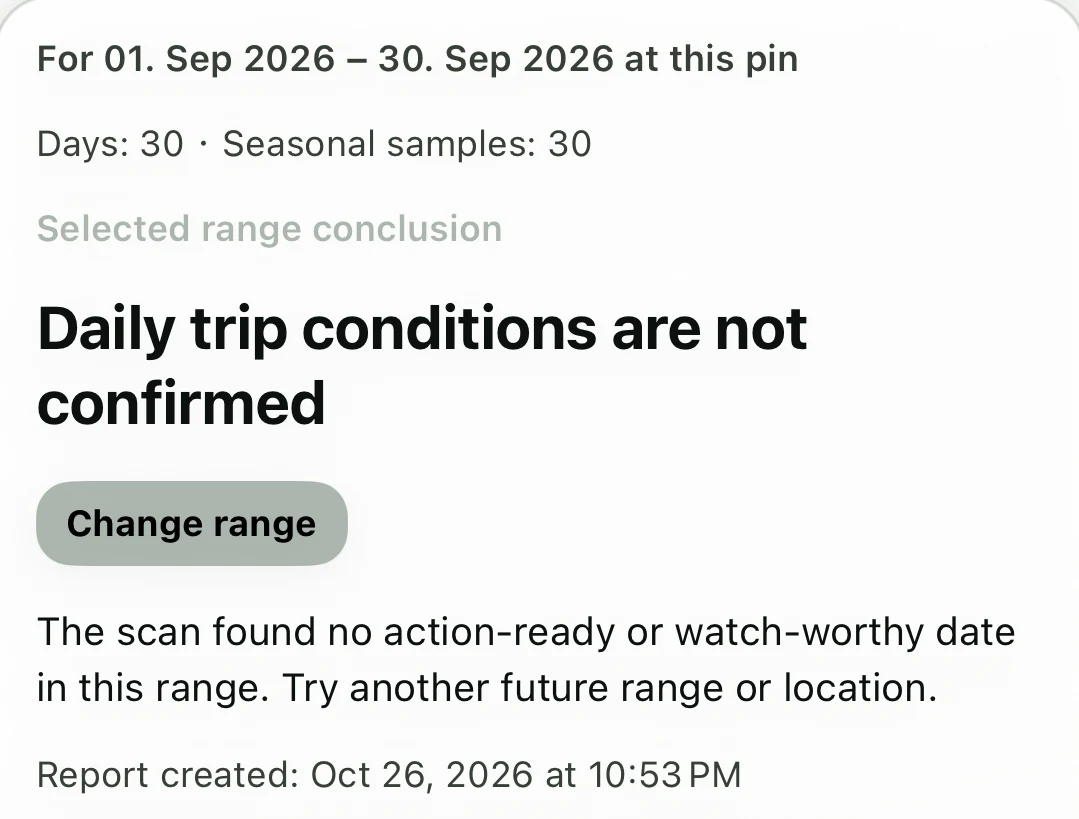
This past range ends with “Daily trip conditions are not confirmed”: no day-specific trip assessment was returned for these dates. Seasonal timing helps you plan; recheck conditions close to departure.
Private Radar
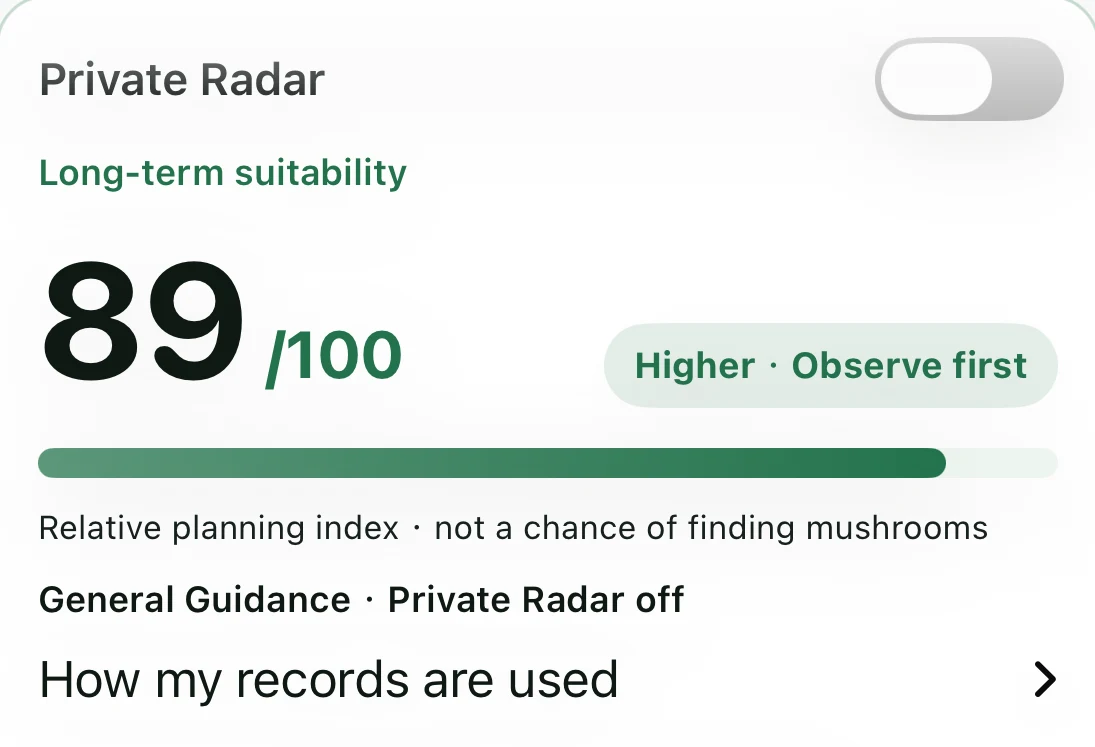
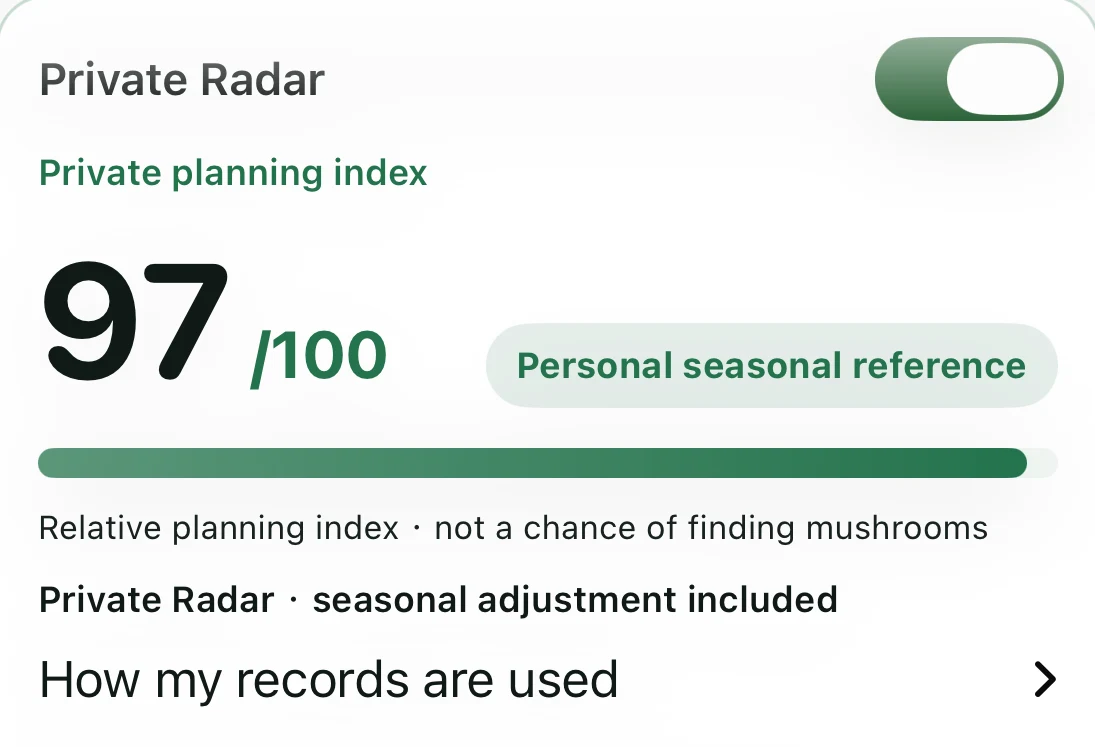
Keep your porcini places and visits in your own archive. When you enable Private Radar, matching confirmed records add personal seasonal context to your Check, on your iPhone.
89/100 public seasonal baseline. No private adjustment.
 View report detail
97/100 private planning index. A local +8-point adjustment; the public baseline remains 89/100.
 View report detail
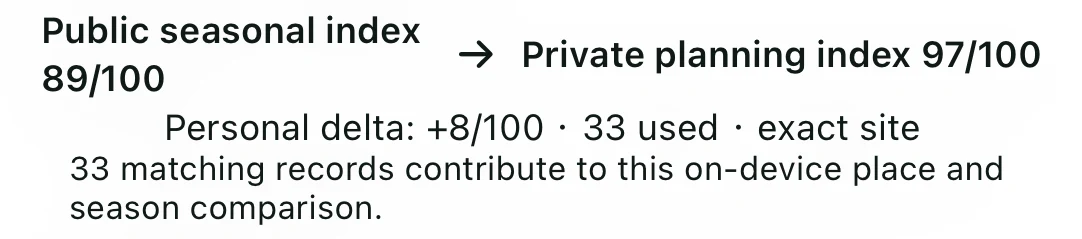
The report identifies 33 observation records that match this place and season. That is the count used in this Check, not the total archive or 33 distinct places.
 Read the app’s contribution summary
Actual account example · Check for 10 September 2026, captured 26 October 2026 · Same pin, date and public report within each off/on pair. Private locations and individual records are not shown. This is one personal planning example, not an 8% increase in finding probability, an accuracy claim or a guaranteed uplift. Different records can produce a smaller, zero or negative adjustment.
Your records are never published as shared hotspots, and neither they nor their derivatives train the public prediction model. Matching happens locally to enrich your own seasonal planning reference; public readiness and other people’s results stay unchanged.
Pro and your opt-in enable the local overlay. Only eligible, confirmed observations with matching place, date and habitat can contribute; more saved records does not mean they all apply. Turning Private Radar off preserves your archive. Online Check still sends the selected location, date and request parameters to the service. Optional encrypted Vault backup is a separate choice, not public model training.
Free & Pro
Start with a forest check and your own private archive. Add Pro when you want to compare places and dates.
| Capability | Free | Pro |
|---|---|---|
| Map and search | Included | Included |
| Private places and visit records | Included | Included |
| Check | Basic strength and watch guidance | Full score, evidence, seasonal window and report |
| Area Scan | — | Complete heatmap and ranked pockets |
| Time Scan | — | Complete date comparison |
| Private Radar | Your records stay private | Personalized planning, with opt-in, and map markers |
| Offline and export | — | Offline packs, image and PDF reports, and sharing |
| Backup and recovery | Backup file and encrypted Vault | Backup file and encrypted Vault |
The public prediction foundation is the same. Pro adds planning depth and optional personal context, not a more accurate public model. Your own archive, backup file and encrypted Vault are not locked behind Pro.
€4.99per month
Pay month to month for the time you need.
Join the waitlist€29.99per year
Billed once a year. About €2.50 per month; €29.89 less than 12 monthly payments.
Join the waitlistGerman App Store configuration, verified 12 September 2026. These are planned reference prices, not a currently available purchase offer. Local prices may vary. Both subscriptions renew automatically until canceled in App Store account settings.
Porcini Field Guide
Plan the forest trip with Boletar. Then explore the structures mycologists describe, the limits of visual comparisons, and where to find qualified help.
Yes. Boletar focuses on the porcini group, not a catalogue or identifier for every mushroom.
Not necessarily. Read the exact indicator label. For example, long-term suitability scored out of 100 is an index, not a certified occurrence probability. No result guarantees a harvest.
Area Scan compares spatial planning indicators for one date. Time Scan compares dates at one pin. Read the displayed mode, date range, legend and sampling interval; seasonal context is not a daily weather forecast.
No. Private records and their derivatives stay out of public training and do not change other users’ predictions. Private Radar personalization and encrypted backup are separate choices.
Yes. General Guidance does not require personal records. You can begin saving places and visits whenever you are ready.
The selected location, date and relevant request parameters go to the service. That is different from publishing your private notes or sending them into public training.
You can still read, record, delete and export your own archive, and the backup file and encrypted Vault stay available. Pro planning tools depend on active access. Manage subscription renewal in your Apple account.
No. It does not identify species, confirm edibility, or grant land access or collecting rights. Verify identity and local rules independently. Coverage is limited to selected European forest regions.
Boletar is preparing its App Store release for iPhone. Join the waitlist and we will email you when it is available to download.
No. It explains observation and points to scientific and expert resources. It does not identify a specimen or determine whether it is safe to eat. Explore the Porcini Field Guide
Boletar / iPhone
Join the waitlist. We will email you when Boletar is available on the App Store.